HomeProduct
Prove who can reach whose data.
Point Nullgap at your staging app with up to five test accounts. It signs in as each one and proves, request by request, when one user can read what belongs to another.
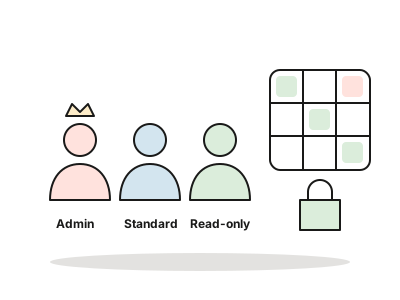
Your staging app, your accounts, your scope.
Set the scope
Add the staging addresses Nullgap may reach. Every request is checked against that list, and private addresses are never reached.
Add named identities
Up to five test accounts per target, each with an access level: Admin, Standard user or Read-only. Signed-out is always tested too.
Cross every account
Nullgap tries each account’s data from every other identity, read-only unless you allow state changes.
Read the matrix
The access matrix shows which crossings were blocked and which were proven to leak, with the requests that prove it.
The access matrix.
Each row is who is asking. Each column is whose data. A proven cell is a horizontal leak (same level, another account) or a vertical one (a lower level reaching higher).
| Asking as | Admin’s data | User A’s data | User B’s data | Read-only’s data |
|---|---|---|---|---|
| Admin | Own | Allowed | Allowed | Allowed |
| Standard user A | Blocked | Own | Proven · horizontal | Blocked |
| Standard user B | Blocked | Blocked | Own | Blocked |
| Read-only | Proven · vertical | Blocked | Blocked | Own |
| Signed out | Blocked | Blocked | Blocked | Blocked |
Proof · Standard user A reads user B’s projects
attack   GET /api/projects/7731 as A (owner: B)  → 200, B’s project   Worked
repeat   same request, fresh session            → 200, B’s project   Worked
control  A opens A’s own project                → normal             No effect
check    independent review of the evidence                         Accepted
Safe by default, and the limits.
- Scope list only
- Only staging addresses on your scope list are reached. Every request is checked before it is sent.
- Private addresses never reached
- Internal and private network addresses are refused, whatever the scope list says.
- Read-only unless you allow more
- Live tests don’t change state in your app unless you turn that on for the target.
- Up to five identities
- Five named accounts per target, each Admin, Standard user or Read-only, plus a signed-out visitor.
- Secrets sealed
- Passwords and tokens are encrypted for your workspace and never shown again, to anyone.
- Included in every pentest
- Live testing with up to five accounts comes with every pentest, along with a free retest within 60 days.
Works with
Live testing questions
Will you test production?
Only addresses you put on the scope list are reached. We recommend staging. Private addresses are never reached.
Can live testing change our data?
Not by default. Live tests are read-only unless you allow state changes for that target.
What happens to the test account passwords?
They are sealed: encrypted for your workspace, never sent to the AI, and never shown again after you save them.
What is the difference between horizontal and vertical?
Horizontal is one account reading another account’s data at the same level. Vertical is a lower level, such as Read-only, reaching what only a higher level should see.
Get your first proof today.
Connect a repository and watch Nullgap find, prove and fix. You only ever see what it could prove.
Free 14-day trial · No card · or book a demo with a security engineer